
So in my opening blog entry I talked about creating mobile push notifications. So before we start playing with cloud solutions and developing anything, the best place to start is be able to push a notification.
 We’re going to do this with the use of Prowl. Prowl offers both a mobile application and a cloud service with an API. So setting up an account on Prowl you can connect you mobile Prowl App to then through another app – for example Growl (which is how I came across Prowl) which can be extended by a plugin framework to use Prowl so potentially all your desktop alert can become push notifications if you want.
 So if you hadn’t already noticed Prowl is presently an IOS only solution – however there is an Android equivalent called Notify My Android (NMA). I should also be upfront the Prowl App does cost a couple of pounds or dollars (depending upon your App Store). But this is a small price to pay to avoid having to build an app (which needs to you to be a fully paid up IOS Developer Account holder to play with push notifications as we do).
So I will concentrate primarily on working from a Windows platform to an Apple device – but I will loop back to Android at points as well. For those who bulk at the idea of Windows and swear only to live with Mac or a proper OS as many Linux fans will say – I will point out where to get the info you need and hack your Linux flavour into appropriate shape. Our goal is to see Oracle cloud in use.
 Just as an aside quick detour – Growl is a Mac based notification consolidation tool, which has a Windows implementation as well called Growl For Windows. The idea is all your applications and system notifications go via Growl which allows your to customise the notifications and route them to lots of different channels such as to browser plugin, push notifications and so on.
So lets get the first steps called out:
- Create an account on Prowl or NMA
- Install the Prowl App on your IOS device
- From the Prowl web app or NMA web send a message to your device
So we have proven notifications to our device from a central device. We are going to go one step further and use a local client to prove we can safely send events to the Prowl or NMA servers. We can do this several different ways – on the Prowl site are several browser plugins that you could use or combine prowl with Growl or Growl for Windows plus the Growl notifier.
So I assume that you have installed Growl or Growl for Windows as previously mentioned. Then the Growl notifier extension needs to be installed from http://www.growlforwindows.com/gfw/help/growlnotify.aspx. With the extension installed we need to make sure Growl sends its notifications to Prowl and send the notifications from a command line.
To do this you need to create a API Key on the Prowl website. Then in settings part of the app setup the key details as shown below (note I’ve hidden my account and key):
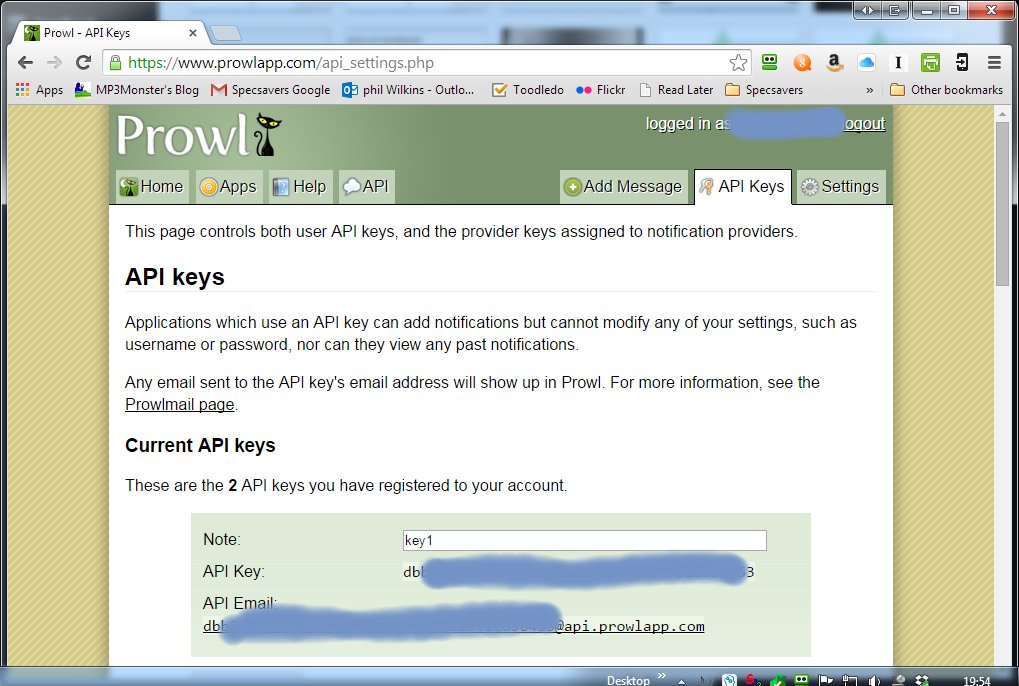
So this links the credentials of the account. You could impose local security constraints so the local notification is only accepted by Growl with good credentials.
Then you you need to configure the notifier to use the configured key as you can see below:

In The Network part of Growl’s configuration you need to establish the Key
The Plus key you can see provides a dialogue like the following where you select the type of notification and then complete the necessary details i.e. copy in the API Key from the website:
In The Network part of Growl’s configuration you need to establish the Key

You’ll may have noticed – that the key name carries through from the website – this is more to make it convenient to track the key rather than a necessity.
With the API Key setup we can link the notification side of things via the Notifications section. You’ll note the App extension is selected and in the notification type I have gone to the Choices menu which provides a popup

Selecting the key:
 The final step is to then run a command line, which would look something like:

You’ll notice the command line is very simple as we’ve not setup an security in Growl the only security is around the API Key.
Then we get the pay off of the pushed notification and you can see your notification history as well in the Prowl app – as this shows:

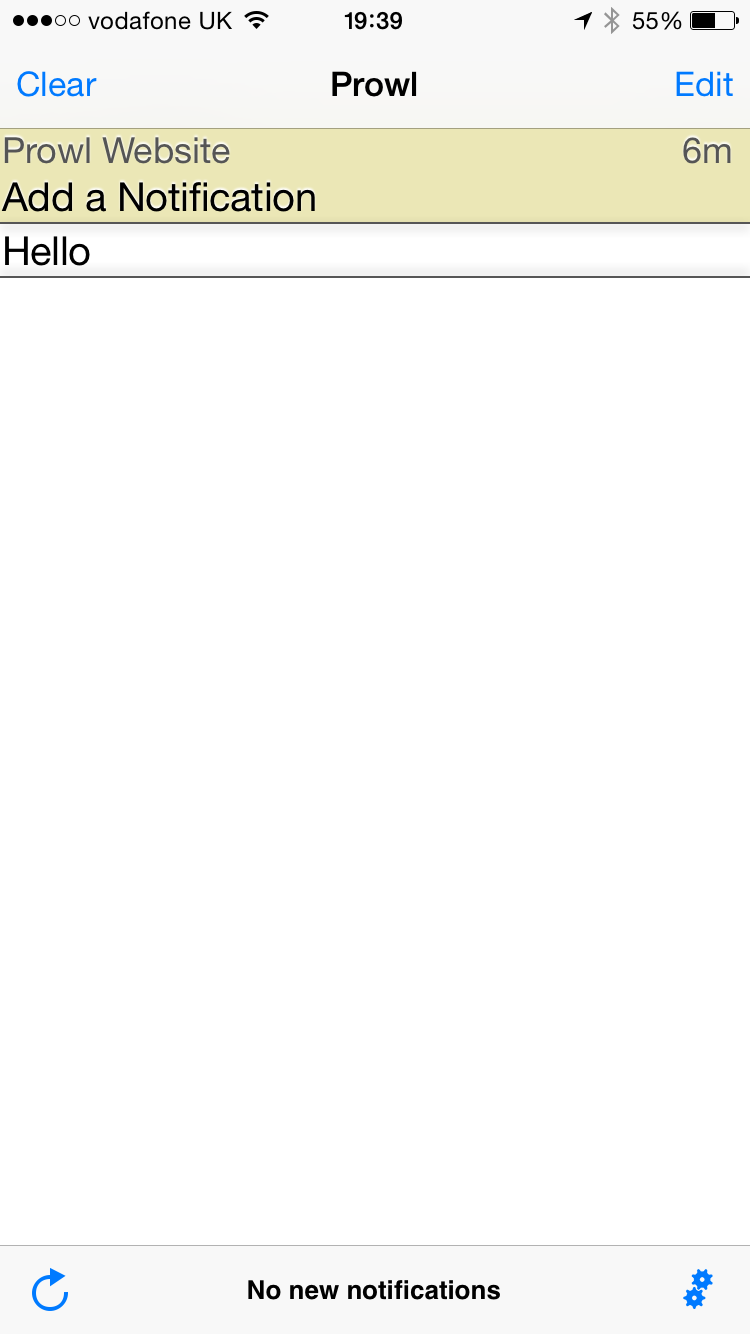
So the steps just performed:
- Created the API key on the ProwlAPI site
- made sure we’ve got Growl and Growl Notifier installed
- Established the link from Growl to Growl Web App via the API Key
- Configured the notifications for GrowlNotifier to go through Growl and get pushed onto the Prowl API
- Run the command line script
- Seen the command line message go from the desktop shell through Growl onto the Prowl API and arrive on your smart phone.
Summary
So we have shown we can create push notifications without the distraction of building our own app. Not very exciting as we haven’t created anything but does show the art of the possible.
Next post we’ll cut some code to perform the same process using the Prowl API directly.
 Phil (aka MP3Monster)'s Blog
You must be logged in to post a comment.