
• Home
  • Site Aliases
    • www.cloud-native.info
  • About
    • Background
    • Presenting Activities
    • Internet Profile
      • LinkedIn
    • About
  • Books & Publications
    • Log Generator
    • Logs and Telemetry using Fluent Bit
      • Fluent Bit book
      • Book Resources in GitHub
      • Fluent Bit Classic to YAML Format configurations
    • Logging in Action with Fluentd, Kubernetes and More
      • Logging in Action with Fluentd – Book
      • Fluentd Book Resources
      • Fluentd & Fluent Bit Additional stuff
    • API & API Platform
      • API Useful Resources
    • Oracle Integration
      • Book Website
      • Useful Reading Sources
    • Publication Contributions
  • Resources
    • GitHub
    • Oracle Integration Site
    • Oracle Resources
    • Mindmaps Index
    • Useful Tech Resources
      • Fluentd & Fluent Bit Additional stuff
      • Recommended Tech Podcasts
      • Official Sources for Product Logos
      • Java and Graal Useful Links
      • Python Setup & related stuff
  • Music
    • Monster On Music
    • Music Listening
    • Music Reading

Phil (aka MP3Monster)'s Blog

~ from Technology to Music

Phil (aka MP3Monster)'s Blog

Tag Archives: UI

Challenges of UX for AI

21 Sunday Sep 2025

Posted by mp3monster in General, Technology

≈ Leave a comment

Tags

AI, UI, UX

AI, specifically Generative AI, has been dominating IT for a couple of years now. If you’re a software vendor with services that interact with users, you’ll probably have been considering how to ensure you’re not left behind, or perhaps even how to use AI to differentiate yourself. The answer to this can be light-touch AI to make the existing application a little easier to use (smarter help documentation, auto formatting, and spelling for large text fields). Then, at the other end of the spectrum, is how do we make AI central to our application? This can be pretty radical. Both ends of the spectrum carry risks – light touch use can be seen as ‘AI whitewashing’ – adding something cosmetic so you can add AI enablement to the product marketing. At the other end of the spectrum, rejecting chunks of traditional menus and form-based UI that allow users in a couple of quick clicks or keystrokes to access or create content can result in increasing the product cost (AI consumes more compute cycles, thereby incurring a cost along the way) for at best a limited gain.

While AI whitewashing is harmful and can impact a brand image, at least the features can be ignored by the user. However, the latter requires a significant investment and can easily lead to the perception that he product isn’t as capable as it could/should be.

At the heart of this are a couple of basic considerations that UX design has identified for a long time:

  • For a user to get the most out of a solution, they need a mental model of the capabilities your product can provide and the data it has. These mental models come from visual hints – those hints come from menus, right-click operations, and other visual clues. UI specialists don’t do eye tracking studies just for the research grant money.
  • UI best practices provide simple guidance stating that there should be at least three ways to use an application, supporting novice users, the average user, and the power user. We can see this in straightforward things, such as multiple locations for everyday tasks (right-click menus, main menu, ribbon with buttons), not to mention keyboard shortcuts. Think I’m over-stating things? I see very knowledgeable, technically adept users still type and then navigate to the menu ribbon to embolden text (rather than simply use the near-universal Ctrl+B). Next time you’re on a Zoom/Teams call, working with someone on a document, just watch how people are using the tools. On the other end of the spectrum, some tools allow us to configure accelerator key combinations to specific tasks, so power users can complete actions very quickly.
  • Users are impatient – the technology industry has prided itself on making things quicker, faster, more responsive (we see this with Moore’s law with computer chips to mobile networks … Edge, 3G … 5G (and 6G in development). So if things drop out of those norms, there is an exponential chance of the user abandoning an action (or worse, trying to make it happen again, multiplying the workload). AI is computationally expensive, so by its nature, it is slower.
  • Switching input devices incurs a time cost when transitioning between devices, such as a keyboard and mouse. Over the years, numerous studies have been conducted on this topic, identifying ways to reduce or eliminate such costs. Therefore, we should minimize such switching. Simple measures, such as being able to table through UI widgets, can help achieve this.
  • User tolerance to latency has been an ongoing challenge – we’re impatient creatures. There are well-researched guidelines on this topic, and if you take a moment to examine some of the techniques available in UI, particularly web UIs, you will see that they reflect this. For example, prefetching content, particularly images, rendering content as it is received, and infinite scrolling.

All of this could be interpreted as being anti-AI, and even as someone wanting to protect jobs by advocating that we continue the old way. Far from it, AI can really help, and I have been a long-standing advocate of the idea that AI could significantly simplify tasks such as report generation in products that rely heavily on structured data capture. Why, well, using structured form capture processes will help with a mental model of the data held, the relationships, and the terminology in the system, enabling us to formulate queries more effectively.

The point is, we should empower users to use different modes to achieve their goals. In the early days of web search, the search engines supported the paradigm of navigating using cataloguing of websites. Only as the understanding of search truly became a social norm did we see those means to search disappear from Yahoo and Google because the mental models of using search engines established themselves. But even now, if you look, those older models of searching/navigating still exist. Look at Amazon, particularly for books, which still offers navigation to find books by classification. This isn’t because Amazon’s site is aging, anything but. It is a recognition that to maximize sales, you need to support as many ways of achieving a goal as are practical.

A sidebar menu displaying categories of historical books, including various time periods and regions.
Navigation categories for historical books, demonstrating various time periods and regions – Amazon.

If there is a call to arms here, it is this – we should complement traditional UX with AI, not try to replace it. When we look at an AI-driven interaction, we use it to enable users to solve problems faster, solve problems that can’t be easily expressed with existing interactions and paradigms. For example, replacing traditional reporting tools that require an understanding of relational databases or reducing/removing the need to understand how data is distributed across systems.

Some of the better uses of AI as part of UX are subtle – for example, the use of Grammarly, Google’s introduction to search looks a lot like an oversized search result. But we can, and should consider the use of AI, not just as a different way to drive change into traditional UX, but to open up other interaction models – enabling their use in new ways, for example rather than watching or reading how to do something, we can use AI to translate to audio, and talk us through a task as we complete it. For example, a mechanical engineering task requires both hands to work with the necessary tools. Burt is also using different interaction models to help overcome disabilities.

Don’t take my word for it; here are some useful resources:
  • Neilsen Norman Group – article about the adverse impact AI can have
  • AI is reshaping UI
  • Designing with AI
  • AI for disabilities – UN Report
  • AI won’t kill UX – we will
  • NeuroNav blog

Share this:

  • Click to share on Facebook (Opens in new window) Facebook
  • Click to share on X (Opens in new window) X
  • Click to share on Pocket (Opens in new window) Pocket
  • Click to share on Reddit (Opens in new window) Reddit
  • Click to email a link to a friend (Opens in new window) Email
  • Click to share on WhatsApp (Opens in new window) WhatsApp
  • Click to print (Opens in new window) Print
  • Click to share on Tumblr (Opens in new window) Tumblr
  • Click to share on Mastodon (Opens in new window) Mastodon
  • Click to share on Pinterest (Opens in new window) Pinterest
  • More
  • Click to share on Bluesky (Opens in new window) Bluesky
  • Click to share on LinkedIn (Opens in new window) LinkedIn
Like Loading...

K8s dashboard capability without needing to deploy K8s dashboard

14 Tuesday Jun 2022

Posted by mp3monster in Cloud Native, General, Technology

≈ 1 Comment

Tags

dashboard, K8s, Kubectl, Kubernetes, lens, UI

Let’s be honest we’re not all command line warriors when it comes to Kubernetes. I can get around Kubectl but the time it takes to key in a CLI command you can get the same information in a couple of clicks of the UI. For me, Kubectl is for automating my tasks, for example pushing a local build into a image repository, initiating a refresh deployment and ensuring old container instances are flushed out.

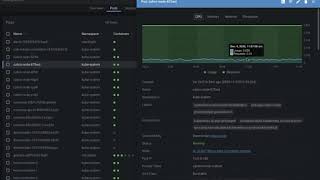
Lens view
K8s Dashboard

The only problem is that the K8s dashboard requires a lot of config work to secure its deployment, and do you want to be deploying such tools in a production environment? A colleague suggested I look at Lens. A tool that offers both Personal (free) and Team licensed versions and both versions deploy to Windows, Linux, and Mac natively so installation doesn’t require any messing around.

I have to say I have been very impressed with Lens. Everything useful about the K8s dashboard is here, but without needing to deploy anything to your cluster as lens runs as a local thick app. Just like the K8s dashboard you need the privileges to talk to the K8s APIs. But the Visualization is all local and the way the data is retrieved means the UI is very reactive.

Read more: K8s dashboard capability without needing to deploy K8s dashboard

Lens supports extensions, although to date I’ve not tried any of the extensions personally – you can see a list of extensions here. I will be trying out a couple Of extensions in due course. For example:

Network Policy Viewer
Certificate Info (via K8s secrets)

Lens goes further by the fact you can connect to multiple clusters from a single viewer instance. So no need for multiple deployments of the dashboard or creating an additional management cluster.

I only have one minor grumble today with the implementation. When using a console facility to access a container it is not possible to paste into the console any text/script or copy out any of the log contents. The latter can make generating things like JIRA tickets a bit annoying. So far I’ve worked around it by creating screenshots.

Useful Resources

  • K8s Lens website – https://k8slens.dev/
  • GitHub list of extensions – https://github.com/lensapp/lens-extensions
  • Kubernetes dashboard – https://github.com/kubernetes/dashboard

Share this:

  • Click to share on Facebook (Opens in new window) Facebook
  • Click to share on X (Opens in new window) X
  • Click to share on Pocket (Opens in new window) Pocket
  • Click to share on Reddit (Opens in new window) Reddit
  • Click to email a link to a friend (Opens in new window) Email
  • Click to share on WhatsApp (Opens in new window) WhatsApp
  • Click to print (Opens in new window) Print
  • Click to share on Tumblr (Opens in new window) Tumblr
  • Click to share on Mastodon (Opens in new window) Mastodon
  • Click to share on Pinterest (Opens in new window) Pinterest
  • More
  • Click to share on Bluesky (Opens in new window) Bluesky
  • Click to share on LinkedIn (Opens in new window) LinkedIn
Like Loading...

Microservice UI Positioning

14 Sunday Jun 2015

Posted by mp3monster in General, Technology

≈ 1 Comment

Tags

CSS, Design, devops, Microservices, Redhat, UI

Last week I was fortunate enough to attend RedHat’s day in London on Microservices. There were some great presentations and some ideas that are both simple and potentially very effective. It wasn’t a simple Microservices solves everything get into out tech stack, there was some reality checks as well.

The challenge I have been unable to square up yet, is the idea that each Microservices would have its own UI.  On the surface, it makes a lot of sense, after all the UI needs to reflect the capabilities of the service.

The challenge comes in the form, that a User Interface needs to have consistency across the board. Yes, many will immediately point to CSS., which undeniably provide a level of consistency. But UI needs run a lot deeper. Let me point out a couple of illustrations of this:

  • Recent switch to web interfaces reflecting the new ‘flat’ visual format
  • Adoption of app on a page through AngularJS
  • Lots of illustrations can be seen at elegant Theme

This goes beyond CSS3 in many cases, but the libraries being used – so impacting development. Now here is the rub, the backend service functionality won’t change but the UI implementation will and needs to be deployed consistently across the board in one go for B2B and critically for B2C. You can destroy a good product with a poor UI and sell a rubbish app with a good one. All of which would mean deploying updated all Microservices at once if they embody the UI. The linking of all the Microservices like this is completely contrary to the goals of agility driven the Microservices strategy.

Add to this, the Microservices approach promotes a DevOps approach, yet organisations may only employ 1 or 2 real user experience specialists rather than  try and spread them across multiple service teams it maybe better to focus them into one or two service teams that just build the UI.

Which kind of leads me to the argument that I would suggest that your UI is a separate service or small group of services to the core functional side of things. So those PR driven website overhauls, and revisions to match user experience expectations can be done without impacting the core capabilities, demanding a total regression test and locking your entire set of services into a unified release cycle.

Share this:

  • Click to share on Facebook (Opens in new window) Facebook
  • Click to share on X (Opens in new window) X
  • Click to share on Pocket (Opens in new window) Pocket
  • Click to share on Reddit (Opens in new window) Reddit
  • Click to email a link to a friend (Opens in new window) Email
  • Click to share on WhatsApp (Opens in new window) WhatsApp
  • Click to print (Opens in new window) Print
  • Click to share on Tumblr (Opens in new window) Tumblr
  • Click to share on Mastodon (Opens in new window) Mastodon
  • Click to share on Pinterest (Opens in new window) Pinterest
  • More
  • Click to share on Bluesky (Opens in new window) Bluesky
  • Click to share on LinkedIn (Opens in new window) LinkedIn
Like Loading...

Review of Creating Flat Design Websites

18 Friday Jul 2014

Posted by mp3monster in Books, General, Technology

≈ Leave a comment

Tags

book, Bootstrap, Design, Designmodo, HTML, Packt, review, skeuomorphic, UI, website

I always find when looking at book if I encounter early in the book comments such as “…eventually I found out that design is not about the answers, it’s about asking the right questions …” as Antonio Pratas does in the Acknowledgement of Creating Flat Design Websites that the book feels like I can trust the author as this sort of thing is both an honest observation and one that reflects some more considered thinking. The book beards this point out. For example rather than pitching the technology or approach as a tool for all things as many IT books have habit if doing, even in the first couple of chapters we are clearly informed that flat design isn’t necessarily correct approach in all cases and examples are given to illustrate the point.

The opening chapter explains the ideas of flat design vs skeuomorphic, and a brief history of the design approaches and “flat’s” ruse in popularity. Even providing an incredibly simple illustration that doesn’t demand that you be a graphic artist to achieve to show the differences and how you might move from skeuomorphic to flat.

The following chapters look at the consideration for usability, referencing Jakob Neilsen’s work (and if design piques your interest I’d highly recommend the work of Neilsen’s partner at NN/g – Don Norman with writing such as the Design of Everyday Things). The only criticism I might make here is with UI design, and specifically web there are legal (in the UK this cones presently as part if disability discrimination) and industry standards (particularly W3C’s WCAG standard/guidelines) aren’t really mentioned. But if you start digging into good usability material you will encounter these aspects.

From this point when are then guided through a design approach with plenty of recommendations on how to approach the design phase (from the basics of considering your target audience onwards).  It is only chapter 5 that really get stuck into web tech with HTML and the Designmodo framework built on Twitter’s Bootstrap and chapter 6 covers building your own flat UI framework. So this book maybe pitched at web app development, but actually the bulk of the books content holds true whether you’re working on web solutions, thick apps for the desktop or the mobile variety as it embodies the principles if good interface design.

Not only does it successfully talk about good design it bridges the gap between techies and graphic artists without the sense it is trying to address either skills base. No mean feat.

Rather than stealing the book’s wealth of useful resources, I’ll point you at links relevant the book and it’s author. From there you’ll find a cast array of helpful resources. The references :

  • Packt Book webpage
  • Antonio Pratas’ website
  • Antonio Pratas on LinkedIn
  • An article on skeuomorphic design
  • Twitter Bootstrap
  • Designmodo framework

CreatingFlatDesignWebsite

Share this:

  • Click to share on Facebook (Opens in new window) Facebook
  • Click to share on X (Opens in new window) X
  • Click to share on Pocket (Opens in new window) Pocket
  • Click to share on Reddit (Opens in new window) Reddit
  • Click to email a link to a friend (Opens in new window) Email
  • Click to share on WhatsApp (Opens in new window) WhatsApp
  • Click to print (Opens in new window) Print
  • Click to share on Tumblr (Opens in new window) Tumblr
  • Click to share on Mastodon (Opens in new window) Mastodon
  • Click to share on Pinterest (Opens in new window) Pinterest
  • More
  • Click to share on Bluesky (Opens in new window) Bluesky
  • Click to share on LinkedIn (Opens in new window) LinkedIn
Like Loading...

AJAX Resources

11 Tuesday Aug 2009

Posted by mp3monster in General

≈ Leave a comment

Tags

AJAX, development, software, Technology, UI, web

With WebUI’s getting more like thick applications as a result of the increasing adoption and sophistication of AJAX use I came across a website that does a good job of pulling together AJAX lessons, examples and tips tricks called www.ajaxlessons.com. Its a link’d recommedn adding to any web developers list of dev resources.

Share this:

  • Click to share on Facebook (Opens in new window) Facebook
  • Click to share on X (Opens in new window) X
  • Click to share on Pocket (Opens in new window) Pocket
  • Click to share on Reddit (Opens in new window) Reddit
  • Click to email a link to a friend (Opens in new window) Email
  • Click to share on WhatsApp (Opens in new window) WhatsApp
  • Click to print (Opens in new window) Print
  • Click to share on Tumblr (Opens in new window) Tumblr
  • Click to share on Mastodon (Opens in new window) Mastodon
  • Click to share on Pinterest (Opens in new window) Pinterest
  • More
  • Click to share on Bluesky (Opens in new window) Bluesky
  • Click to share on LinkedIn (Opens in new window) LinkedIn
Like Loading...

    I work for Oracle, all opinions here are my own & do not necessarily reflect the views of Oracle

    • About
      • Internet Profile
      • Music Buying
      • Presenting Activities
    • Books & Publications
      • Logging in Action with Fluentd, Kubernetes and More
      • Logs and Telemetry using Fluent Bit
      • Oracle Integration
      • API & API Platform
        • API Useful Resources
        • Useful Reading Sources
    • Mindmaps Index
    • Monster On Music
      • Music Listening
      • Music Reading
    • Oracle Resources
    • Useful Tech Resources
      • Fluentd & Fluent Bit Additional stuff
        • Logging Frameworks and Fluent Bit and Fluentd connectivity
        • REGEX for BIC and IBAN processing
      • Java and Graal Useful Links
      • Official Sources for Product Logos
      • Python Setup & related tips
      • Recommended Tech Podcasts

    Oracle Ace Director Alumni

    TOGAF 9

    Logs and Telemetry using Fluent Bit


    Logging in Action — Fluentd

    Logging in Action with Fluentd


    Oracle Cloud Integration Book


    API Platform Book


    Oracle Dev Meetup London

    Blog Categories

    • App Ideas
    • Books
      • Book Reviews
      • manning
      • Oracle Press
      • Packt
    • Enterprise architecture
    • General
      • economy
      • ExternalWebPublications
      • LinkedIn
      • Website
    • Music
      • Music Resources
      • Music Reviews
    • Photography
    • Podcasts
    • Technology
      • AI
      • APIs & microservices
      • chatbots
      • Cloud
      • Cloud Native
      • Dev Meetup
      • development
        • languages
          • java
          • node.js
      • drone
      • Fluentbit
      • Fluentd
      • logsimulator
      • mindmap
      • OMESA
      • Oracle
        • API Platform CS
          • tools
        • Helidon
        • ITSO & OEAF
        • Java Cloud
        • NodeJS Cloud
        • OIC – ICS
        • Oracle Cloud Native
        • OUG
      • railroad diagrams
      • TOGAF
    • xxRetired
    • AI
    • API Platform CS
    • APIs & microservices
    • App Ideas
    • Book Reviews
    • Books
    • chatbots
    • Cloud
    • Cloud Native
    • Dev Meetup
    • development
    • drone
    • economy
    • Enterprise architecture
    • ExternalWebPublications
    • Fluentbit
    • Fluentd
    • General
    • Helidon
    • ITSO & OEAF
    • java
    • Java Cloud
    • languages
    • LinkedIn
    • logsimulator
    • manning
    • mindmap
    • Music
    • Music Resources
    • Music Reviews
    • node.js
    • NodeJS Cloud
    • OIC – ICS
    • OMESA
    • Oracle
    • Oracle Cloud Native
    • Oracle Press
    • OUG
    • Packt
    • Photography
    • Podcasts
    • railroad diagrams
    • Technology
    • TOGAF
    • tools
    • Website
    • xxRetired

    Enter your email address to subscribe to this blog and receive notifications of new posts by email.

    Join 2,555 other subscribers

    RSS

    RSS Feed RSS - Posts

    RSS Feed RSS - Comments

    December 2025
    M T W T F S S
    1234567
    891011121314
    15161718192021
    22232425262728
    293031  
    « Nov    

    Twitter

    Tweets by mp3monster

    History

    Speaker Recognition

    Open Source Summit Speaker

    Flickr Pics

    Turin Brakes Acoustic Tour 24 @ The Maltings FarnhamTurin Brakes Acoustic Tour 24 @ The Maltings FarnhamTurin Brakes Acoustic Tour 24 @ The Maltings FarnhamTurin Brakes Acoustic Tour 24 @ The Maltings Farnham
    More Photos

    Social

    • View @mp3monster’s profile on Twitter
    • View philwilkins’s profile on LinkedIn
    • View mp3monster’s profile on GitHub
    • View mp3monster’s profile on Flickr
    • View mp3muncher’s profile on WordPress.org
    • View philmp3monster’s profile on Twitch
    Follow Phil (aka MP3Monster)'s Blog on WordPress.com

    Blog at WordPress.com.

    • Subscribe Subscribed
      • Phil (aka MP3Monster)'s Blog
      • Join 233 other subscribers
      • Already have a WordPress.com account? Log in now.
      • Phil (aka MP3Monster)'s Blog
      • Subscribe Subscribed
      • Sign up
      • Log in
      • Report this content
      • View site in Reader
      • Manage subscriptions
      • Collapse this bar
     

    Loading Comments...
     

    You must be logged in to post a comment.

      Privacy & Cookies: This site uses cookies. By continuing to use this website, you agree to their use.
      To find out more, including how to control cookies, see here: Our Cookie Policy
      %d