Tags
AI, artificial-intelligence, development, Fluent Bit, LLM, MCP, OpAMP, open telementry, Technology
So we’ve been busy working on our OpAMP solution. We’ve made a number of enhancements since we labelled the code v0.4 back in April. For this post, we’ll look at the features added and where we’re looking next.
For a start, we demo’d what has been developed as part of CNCF Webinar about OpAMP
There has been a lot of feature development, particularly in support of working with Fluent Bit (and to a degree Fluentd).
Standalone or OpAMP server plugin for editor
We started building the Configuration Editor as a standalone capability. The thinking was that we would refactor it into the OpAMP server once we were happy with the functionality and had progressed far enough. But, as we saw this come together, it occurred to me that both deployments are good, as part of the OpAMP server, seeing the configuration being used is handy, but having a freestanding editor (without worrying about the connectivity to communicate with agents) is also a real use case.
So we have created the setup, where if the OpAMP is told to look for the Editor via the definition of Python endpoints in the configuration and it is deployed, it will be incorporated into the server. If the editor isn’t provided (deployed, or not identified in the configuration it isn’t offered in the navigation.
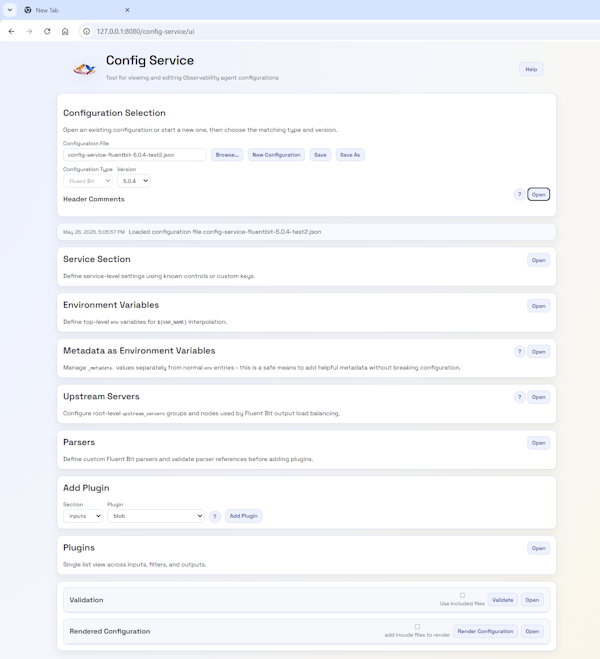
The editor is completely configuration-driven through JSON, so it only requires extending the JSON to support custom plugins or to enhance the validation rules (e.g., adding a REGEX to how a particular parameter is set). This far outweighs the current Dry run checks.
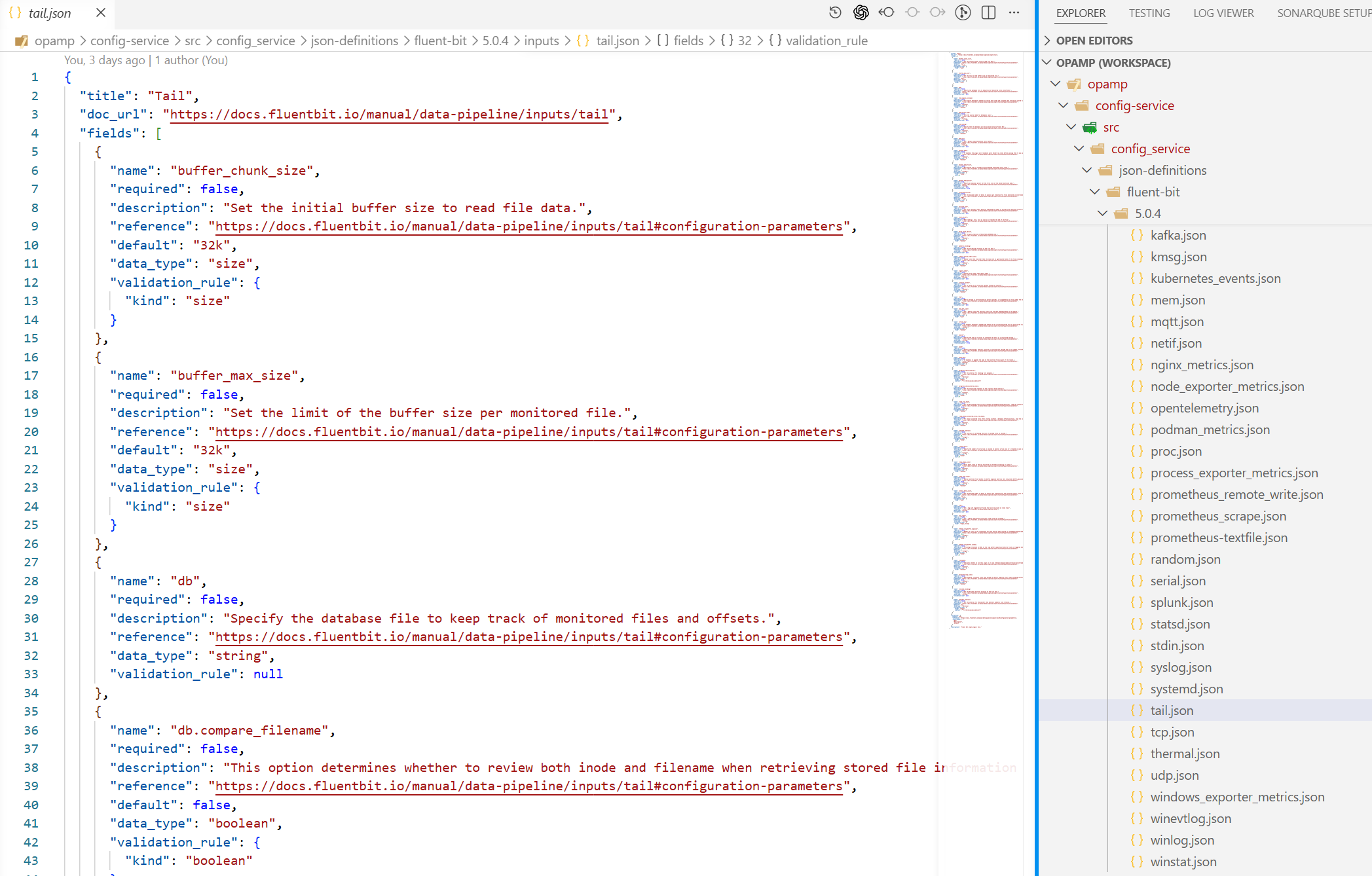
The configuration is considerable, so we refactored the structure to make it far easier to work with, and created some code that can mine Fluent Bit’s GitHub to generate an initial clean set of JSON docs. Of course these need an eyeballing to ensure they’re correct.
Catalog viewer
The catalogue viewer is a natural extension of the editor and leverages the way we tag configuration files with version details in the editor. The catalogue viewer has a configuration which tells it where to look for candidate files. These are then listed with the metadata.
The catalogue viewer presents all the identified files, which, when selected, if it knows about the config editor, will open the editor with the file. Otherwise, it opens a simple view of the file.
The catalogue viewer works in the same way as the editor in terms of authentication.
CLI
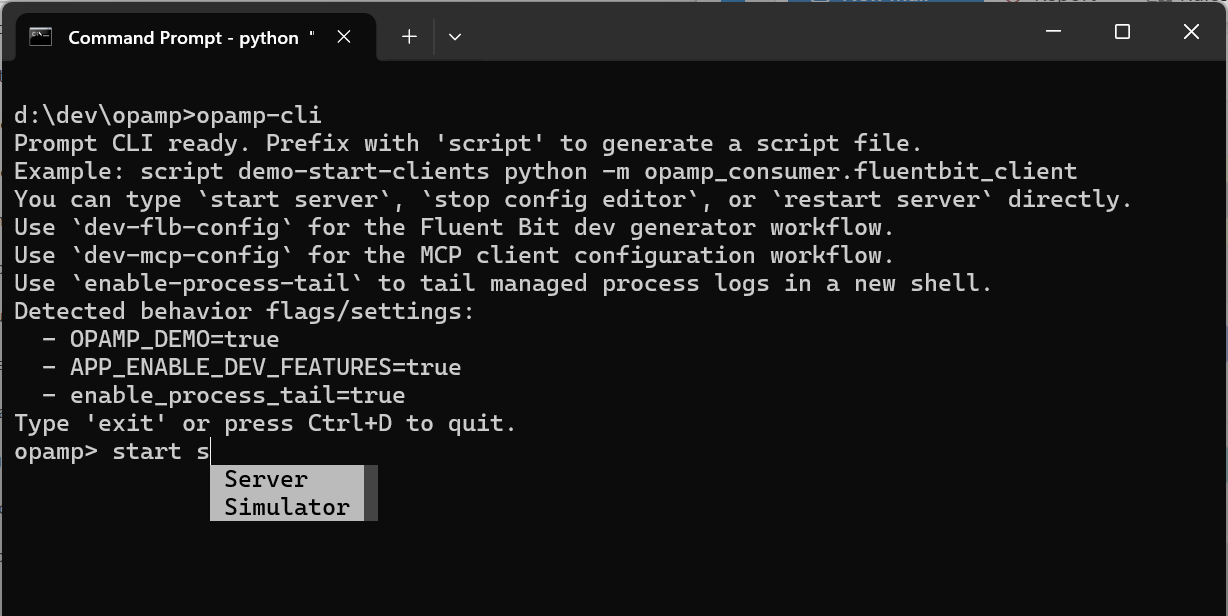
A Command Line tool maybe and odd choice of feature, but we found ourselves creating more and more scripts to support Windows and Bash shells with commonality. So we elected to leverage some frameworks to help reduce the ongoing effort required to maintain them. The utility can be used to generate the command, if you wanted embed the process of starting or stopping a process into the host OS.
Agent as Supervisor or observer
The OpAMP documentation suggests that the agent logic is embedded, or wrapped with a supervisor, with the inference that the agent forks the application process. This means that introducing the OpAMP would be invasive. There is a noninvasive variant of the Supervisor that we’ve called Observer. Here, the agent know how to identify the key process by examining the host’s processes. Then tasks such as restarting require an understanding of how to get the OS to trigger, for example, if the service is known to init.d in Linux, we can use the service command.
Architecture view
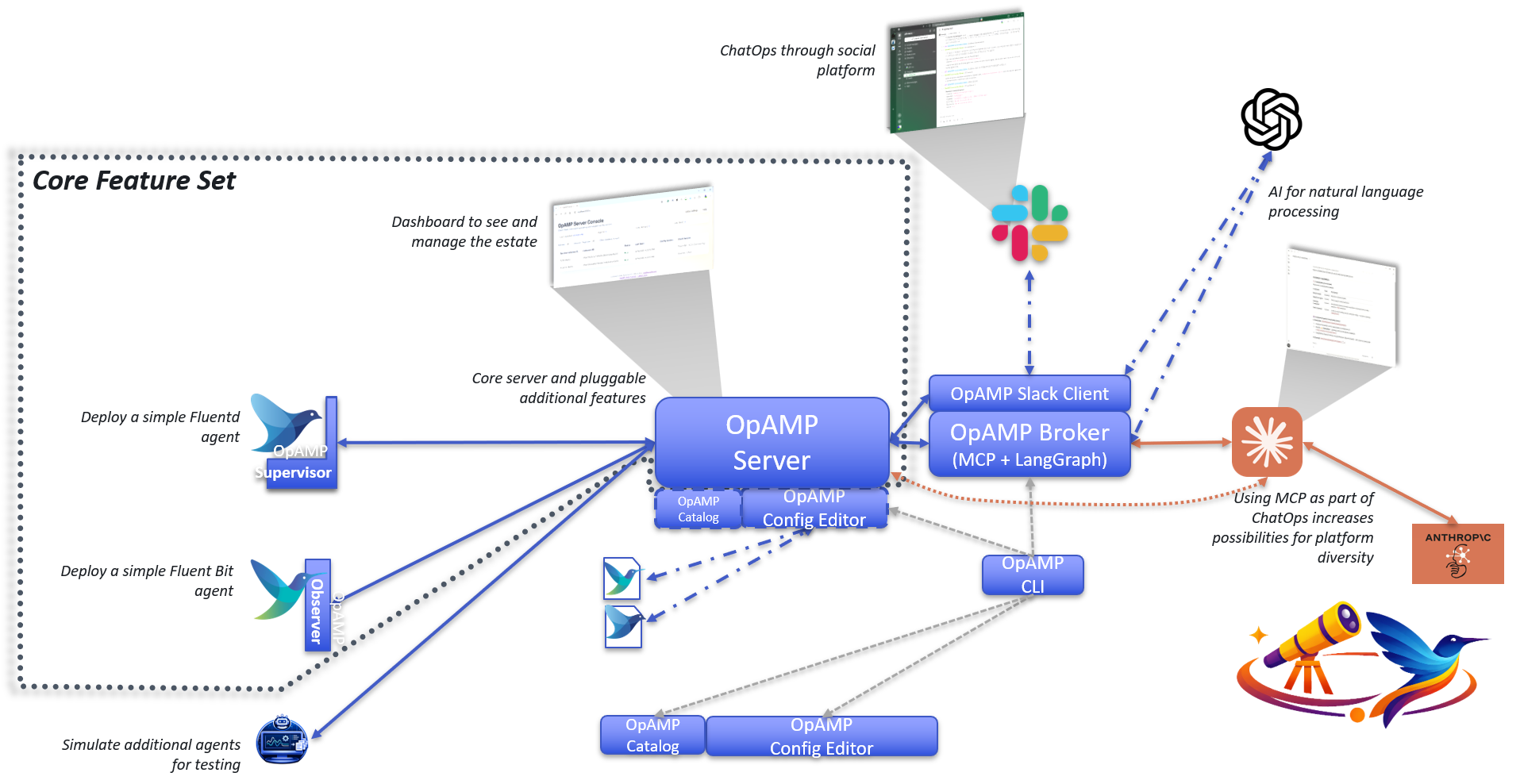
MCP and Slack for ChatOps
We’ve got the Slack foundations progressed, so we can use natural language VIA langgraph to then work with MCP, which exposes a subset of API capabilities. We’ve developed both the main server and the Broker to support the MCP endpoints, with the Broker acting as a proxy to the regular Server APIs. This means if we want the MCP to be usable from outside our network, then we can separate the Broker and Agent into separate networks so that the wider set of endpoints the server provides aren’t exposed.
But if you don’t want that the MCP endpoint can be switched on.
What next …
Config deployment
We have started to address the foundations of managing configuration deployment (for example, if our Catalogue Service is used with the Server, it can be used to select the configuration files to deploy.
Part of config deployment is understanding what is deployed, so we have developed some strategies for versioning Fluent Bit and Fluentd, and I think it will translate to other configuration files (at least into the Observability space).
What we haven’t done is fully implement the process. So we’ll focus on that
E2E Testing
There is a lot of functionality here now, including tests with Playwright, but we really need to extend it to provide end-to-end tests in a clean environment that is set up from the various pip and wheel files.
Deployment Artefact access
We also want to start making these artefacts easier to retrieve, such as pulling the Wheel or PIP files from GitHub or PyPi.


You must be logged in to post a comment.