• Home
  • Site Aliases
    • www.cloud-native.info
  • About
    • Background
    • Presenting Activities
    • Internet Profile
      • LinkedIn
    • About
  • Books & Publications
    • Log Generator
    • Logs and Telemetry using Fluent Bit
      • Fluent Bit book
      • Book Resources in GitHub
      • Fluent Bit Classic to YAML Format configurations
    • Logging in Action with Fluentd, Kubernetes and More
      • Logging in Action with Fluentd – Book
      • Fluentd Book Resources
      • Fluentd & Fluent Bit Additional stuff
    • API & API Platform
      • API Useful Resources
    • Oracle Integration
      • Book Website
      • Useful Reading Sources
    • Publication Contributions
  • Resources
    • GitHub
    • Oracle Integration Site
    • Oracle Resources
    • Mindmaps Index
    • Useful Tech Resources
      • Fluentd & Fluent Bit Additional stuff
      • Recommended Tech Podcasts
      • Official Sources for Product Logos
      • Java and Graal Useful Links
      • Python Setup & related stuff
  • Music
    • Monster On Music
    • Music Listening
    • Music Reading

Phil (aka MP3Monster)'s Blog

~ from Technology to Music

Phil (aka MP3Monster)'s Blog

Category Archives: General

All things general

Migrating from Fluentd to Fluent Bit

08 Tuesday Oct 2024

Posted by mp3monster in Fluentbit, Fluentd, General, Technology

≈ Leave a comment

Tags

devops, FluentBit, Fluentd, Kubernetes, mapping, migration, tooling, utility

Earlier in the year, I made a utility available that supported the migration from Fluent Bit classic configuration format to YAML. I also mentioned I would explore the migration of Fluentd to Fluent Bit. I say explore because while both tools have a common conceptual foundation, there are many differences in the structure of the configuration.

We discussed the bigger ones in the Logs and Telemetry book. But as we’ve been experimenting with creating a Fluentd migration tool, it is worth exploring the fine details and discussing how we’ve approached it as part of a utility to help the transformation.

Routing

Many of the challenges come from the key difference in terms of routing and consumption of events from the buffer. Fluentd assumes that an event is consumed by a single output; if you want to direct the output to more than one output, you need to copy the event. Fluent Bit looks at things very differently, with every output plugin having the potential to output every event – the determination of output is controlled by the match attribute. These two approaches put a different emphasis on the ordering of declarations. Fluent Bit focuses on routing and the use of tags and match declarations to control the rounding of output.

  <match *>
    @type copy
    <store>
      @type file
      path ./Chapter5/label-pipeline-file-output
      <buffer>
        delayed_commit_timeout 10
        flush_at_shutdown true
        chunk_limit_records 50
        flush_interval 15
        flush_mode interval
      </buffer>
      <format>
        @type out_file
        delimiter comma
        output_tag true
      </format> 
    </store>
    <store>
      @type relabel
      @label common
    </store>
  </match>

Hierarchical

We can also see that Fluentd’s directives are more hierarchical (e.g., buffer, and format are within the store) than the structures used by Fluentd Bit, so we need to be able to ‘flatten’ the hierarchy. As a result, it makes sense that where the copy occurs, we’ll define both outputs in the copy declaration as having their own output plugins.

Buffering

There is a notable difference between the outputs’ buffer configurations: in Fluent Bit, the output can only control how much storage in the filesystem can be used. As you can see in the preceding example, we can set the flushing frequency, control the number of chunks involved (regardless of storage type).

Pipelines

Fluentd allows us to implicitly define multiple pipelines of sources and destinations, as ordering of declarations and event consumption is key. ~In addition to this, we can group plugin behavior with the use of the Fluentd label attribute. But the YAML representation of a Fluent Bit doesn’t support this idea.

<source>
  @type dummy
  tag dummy
  auto_increment_key counter
  dummy {"hello":"me"}
  rate 1
</source>
<filter dummy>
 @type stdout
 </filter>
<match dummy>
  @id redisTarget
  @type redislist
  port 6379
</match>
<source>
  @id redisSource
  @type redislist
  tag redisSource
  run_interval 1
</source>
<match *>
  @type stdout
</match>

Secondary outputs

Fluentd also supports the idea of a secondary output as the following fragment illustrates. If the primary output failed, you could write the event to an alternate location. Fluent Bit doesn’t have an equivalent mechanism. To create a mapping tool, we’ve taken the view we should create a separate output.

<match *>
    @type roundrobin
    <store> 
      @type forward
      buffer_type memory
      flush_interval 1s  
      weight 50
      <server>
        host 127.0.0.1
        port 28080
      </server>  
    </store>
    <store>
      @type forward
      buffer_type memory
      flush_interval 1s        
        weight 50
      <server>
        host 127.0.0.1
        port 38080
      </server> 
    </store>
  <secondary>
    @type stdout
  </secondary>
</match>

The reworked structure requires consideration for the matching configuration, which isn’t so easily automated and can require manual intervention. To help with this, we’ve included an option to add comments to link the new output to the original configuration.

Configuration differences

While the plugins have a degree of consistency, a closer look shows that there are also attributes and, as a result, features of plugins that don’t translate. To address this, we have commented out the attribute so that the translated configuration can be seen in the new configuration to allow manual modification.

Conclusion

While the tool we’re slowly piecing together will do a lot of the work in converting Fluentd to Fluent Bit, there aren’t exact correlations for all attributes and plugins. So the utility will only be able to perform the simplest of mappings without developer involvement. But we can at least help show where the input is needed.

Resources

  • Fluent Bit from Classic to YAML
  • https://github.com/mp3monster/fluent-bit-classic-to-yaml-converter
  • Fluent Bit
  • Fluentd
  • https://github.com/mp3monster/fluent-bit-classic-to-yaml-converter/tree/fluentd-experimental
  • Logs and Telemetry book

Share this:

  • Share on Facebook (Opens in new window) Facebook
  • Share on X (Opens in new window) X
  • Share on Reddit (Opens in new window) Reddit
  • Email a link to a friend (Opens in new window) Email
  • Share on WhatsApp (Opens in new window) WhatsApp
  • Print (Opens in new window) Print
  • Share on Tumblr (Opens in new window) Tumblr
  • Share on Mastodon (Opens in new window) Mastodon
  • Share on Pinterest (Opens in new window) Pinterest
  • More
  • Share on Bluesky (Opens in new window) Bluesky
  • Share on LinkedIn (Opens in new window) LinkedIn
Like Loading...

Fluent Bit – using Lua script to split up events into multiple records

20 Friday Sep 2024

Posted by mp3monster in Fluentbit, General, Technology

≈ Leave a comment

Tags

FluentBit, Lua, plugins

One of the really advanced features of Fluent Bit’s use of Lua scripts is the ability to split a single log event so downstream processing can process multiple log events. In the Logging and Telemetry book, we didn’t have the space to explore this possibility. Here, we’ll build upon our understanding of how to use Lua in a filter. Before we look at how it can be done, let’s consider why it might be done.

Why Split Fluent Bit events

This case primarily focuses on the handling of log events. There are several reasons that could drive us to perform the split. Such as:

  • Log events contain metrics data (particularly application or business metrics). Older systems can emit some metrics through logging such as the time to complete a particular process within the code. When data like this is generated, ideally, we expose it to tools most suited to measuring and reporting on metrics, such as Prometheus and Grafana. But doing this has several factors to consider:
    • A log record with metrics data is unlikely to generate the data in a format that can be directed straight to Prometheus.
    • We could simply transform the log to use a metrics structure, but it is a good principle to retain a copy of the logs as they’re generated so we don’t lose any additional meaning, which points to creating a second event with a metrics structure. We may wish to monitor for the absence of such metrics being generated, for example.
  • When transactional errors occur, the logs can sometimes contain sensitive details such as PII (Personally Identifiable Information). We really don’t want PII data being unnecessarily propagated as it creates additional security risks – so we mask the PII data for the event to go downstream. But, at the same time, we want to know the PII ID to make it easier to identify records that may need to be checked for accuracy and integrity. We can solve this by:
    • Copying the event and performing the masking with a one-way hash
    • Create a second event with the PII data, which is limited in its propagation and is written to a data store that is sufficiently secured for PII data, such as a dedicated database

In both scenarios provided, the underlying theme is creating a version of the event to make things downstream easier to handle.

Implementing the solution

The key to this is understanding how the record construct is processed as it gets passed back and forth. When the Lua script receives an event, it arrives in our script as a table construct (Java developers, this approximates a HashMap), with the root elements of the record representing the event payload.

Typically, we’d manipulate the record and return it with a flag saying the structure has changed, but it is still a table. But we could return an array of tables. Now each element (array entry) will be processed as its own log event.

A Note on how Lua executes copying

When splitting up the record, we need to understand how Lua handles its data. if we tried to create the array with the code:

record1 = record
record2 = record
newRecord[record1, record2] 

Then we manipulated newRecord[1] We would still impact both records; this is because Lua, like its C underpinning, always uses shallow references rather than deep copies of objects. So we need to ensure we perform a deep copy before manipulating the records. You can see this in our example configuration (here on GitHub), or look at the following Lua code fragment:

function copy(obj)
  if type(obj) ~= 'table' then return obj end
  local res = {}
  for k, v in pairs(obj) do res[copy(k)] = copy(v) end
  return res
end

The proof

To illustrate the behavior, we have created a configuration with a single dummy plugin that only emits a single event. That event is then picked up by a Filter with our Lua script. After the filter, we have a simple output plugin. As a result of creating two records, we should see two output entries. To make it easy to compare, in the Lua script, we have a flag called deepCopy; when set to true – we’ll clone the records and modify payload values; when set to true – we then perform the split.

[SERVICE]
  flush 1

[INPUT]
    name dummy
    dummy {   "time": "12/May/2023:08:05:52 +0000",   "remote_ip": "10.4.72.163",   "remoteuser": "-",   "request": {     "verb": "GET",     "path": " /downloads/product_2",     "protocol": "HTTP",     "version": "1.1"   },   "response": 304}
    samples 1
    tag dummy1

[FILTER]
    name lua
    match *
    script ./advanced.lua
    call cb_advanced
    protected_mode true

[OUTPUT]
    name stdout
    match *

Limitations and solutions

While we can easily split events up and return multiple records, we can’t use different tags or timestamps. Using the same timestamp is pretty sensible, but different tags may be more helpful if we want to route the different records in other ways.

As long as the record contains the value we want to use as a tag, we can add to the pipeline a tag-write plugin and point it to the attribute to parse with a REGEX. To keep things efficient, if we create an element that is just the tag when creating the new record, then the REGEX becomes a very simple expression to match the value.

Conclusion

We’ve seen a couple of practical examples of why we might want to spin out new observability events based on what we get from our system. An important aspect of the process is how Lua handles memory.

Resources

  • Logging and Telemetry with Fluent Bit book
  • GitHub example
  • Tech resources

Share this:

  • Share on Facebook (Opens in new window) Facebook
  • Share on X (Opens in new window) X
  • Share on Reddit (Opens in new window) Reddit
  • Email a link to a friend (Opens in new window) Email
  • Share on WhatsApp (Opens in new window) WhatsApp
  • Print (Opens in new window) Print
  • Share on Tumblr (Opens in new window) Tumblr
  • Share on Mastodon (Opens in new window) Mastodon
  • Share on Pinterest (Opens in new window) Pinterest
  • More
  • Share on Bluesky (Opens in new window) Bluesky
  • Share on LinkedIn (Opens in new window) LinkedIn
Like Loading...

Sharing a monitor

02 Monday Sep 2024

Posted by mp3monster in General

≈ Leave a comment

Like many techies, I have a personal desktop machine that packs a bit of grunt and runs multiple monitors. I also have a company laptop—for me, it’s a Mac (which, to be honest, I’m not a fan of, despite loving my iPhone and iPad).

Like many, my challenge is that when you’re used to two large screens, a laptop monitor just doesn’t cut it. So, I want to share one of the screens between two machines. The question I’ve wrestled with is how to do that with a simple button or key press. No messing with cables, or monitor settings etc.

I initially tried to solve this with a KVM—easy, right? Wrong. It turns out Macs don’t play nice with KVM switches. I went through buying several switches and sending them back before discovering it was a MacBook Pro quirk.

For a while, I used a travel monitor, which I had acquired, to solve the same issue when I traveled extensively for my previous employer. It’s an improvement, but the travel screen is still pretty small, not to mention it takes up more desk space (my main monitors and laptop are all on arms, so I can push them back if I want more desk space).

As most decent monitors allow multiple inputs, we’ve resorted to having two inputs, the only problem is that the controls to switch between inputs aren’t easy to use – but most people don’t need to toggle back and forth several times a day (VPN related tasks are done on the Mac, everything else is the desktop).

But this week, we had a breakthrough, the core of it is finding out about ControlMyMonitor and the VCP features newer monitors have. ControlMyMonitor provides a simple UI tool that allows us to identify an ID for each monitor and a command line capability that generates and sends connected monitor instructions, which allows us to do things like switching input, changing contrast, etc. With the tool we can issues commands such as: ControlMyMonitor.exe /SetValue "\.\DISPLAY2\Monitor0" 60 15. This tells the app for display monitor 2 (as known to my desktop) to send the VCP (Virtual Control Panel) code 60 (change input source) to the input number 15. I can switch the monitor back to the desktop by supplying the input number for the connection to the desktop.

So now I can toggle between screens without feeling around the back of the monitor to navigate the menu for switching inputs. Using a command is pretty cool, but still not good enough. I could put on my desktop links to two scripts to run the relevant command. But I’d also come across AutoHotKey (aka AHK). This allows us to create scripts using AHK’s syntax, which can be configured to work with specific key combinations. So, creating a config file with a key combo to run the command shown made it really convenient. Windows+Shift+Left arrow and the monitor switches to the desktop, Windows+Shift_Right arrow, and it displays the laptop. The script will look something like this:

Requires AutoHotkey v2.0
#+Right::Run "monitor-left.bat"
#+Left::Run "monitor-right.bat"
ControlMyMonitor
AHK

We could embed the command directly into the AHK script, but the syntax is unusual and would require escaping quotes. By referencing a shell script, we can easily extend the process without needing to master the AHK syntax.

The only remaining problem now is for the AHK app to start when the machine boots up and load the configuration/script when the desktop boots up. We can do this by adding a shortcut the the script file. This can be done by creating a shortcut to our script that the AHK runtime will recognize to run and put that shortcut in the startup folder. The startup folder is likely to be somewhere such as C:\Users\<username>\AppData\Roaming\Microsoft\Windows\Start Menu\Programs\Startup. But we can get a file explorer to open in the right place with the command Windows+R (open the command line option from the Start Menu. Then enter the command “shell:startup“.

Further reading:

  • Monitor Control Command Set (which covers VCP)
  • AutoHotKey
  • ControlMyMonitor
  • A Mac app that looks like it will do the same sort of things as ControlMyMonitor – https://github.com/waydabber/BetterDisplay

Share this:

  • Share on Facebook (Opens in new window) Facebook
  • Share on X (Opens in new window) X
  • Share on Reddit (Opens in new window) Reddit
  • Email a link to a friend (Opens in new window) Email
  • Share on WhatsApp (Opens in new window) WhatsApp
  • Print (Opens in new window) Print
  • Share on Tumblr (Opens in new window) Tumblr
  • Share on Mastodon (Opens in new window) Mastodon
  • Share on Pinterest (Opens in new window) Pinterest
  • More
  • Share on Bluesky (Opens in new window) Bluesky
  • Share on LinkedIn (Opens in new window) LinkedIn
Like Loading...

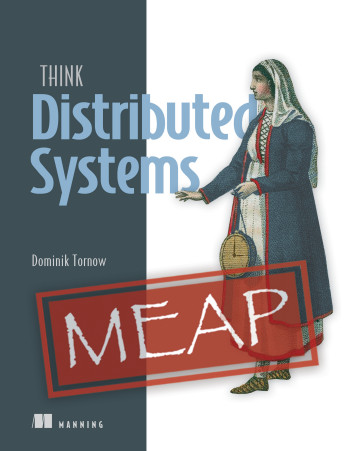
Think Distributed Systems

26 Monday Aug 2024

Posted by mp3monster in Book Reviews, development, General, manning, Technology

≈ Leave a comment

Tags

book, distributed, threading, locks, locking, parrallelism

One of the benefits of being an author with a publisher like Manning is being given early access to books in development and being invited to share my thoughts. Recently, I was asked if I’d have a look at Think Distributed Systems by Dominik Tornow.

Systems have become increasingly distributed for years, but the growth has been accelerating fast, enabled by technologies like CORBA, SOAP, REST frameworks, and microservices. However, some distribution challenges even manifest themselves when using multithreading applications. So, I was very interested in seeing what new perspectives could be offered that may help people, and Dominik has given us a valuable perspective.

I’ve been fortunate enough that my career started with working on large multi-server, multithreaded mission-critical systems. Using Ada and working with a mentor who challenged me to work through such issues. How does this relate to the book? This work and the mentor meant I built some good mental models of distributed development early in my career. Dominik calls out that having good mental models to understand distributed systems and the challenges they can bring is key to success. It’s this understanding that equips you to understand challenges such as resource locking, contending with mutual deadlock, transaction ordering, the pros and cons of optimistic locking, and so on.

As highlighted early on in this book, most technical books come from the perspective of explaining tools, languages, or patterns and to make the examples easy to follow, the examples tend to be fairly simplistic. This is completely understandable; these books aim to teach the features of the language. Not how to bring these things to bear in complex real-world use cases. As a result, we don’t necessarily get the fullest insight and understanding of the problems that can come with optimistic locking.

Given the constraints of explaining through the use of programming features, the book takes a language-agnostic approach to explaining the ideas, and complexities of distributed solutions. Instead, the book favors using examples, analogies, and mathematics to illustrate its points. The mathematics is great at showing the implications of different aspects of distributed systems. But, for readers like me who are more visual and less comfortable with numeric abstraction, this does mean some parts of the book require more effort – but it is worth it. You can’t deny hard numeric proofs can really land a message, and if you know what the variables are that can change a result, you’re well on your way.

For anyone starting to design and implement distributed and multi-threaded applications for the first time, I’d recommend looking at this book. From what I’ve seen so far, the lessons you’ll take away will help keep you from walking into some situations that can be very difficult to overcome later or, worse, only manifest themselves when your system starts to experience a lot of load.

Share this:

  • Share on Facebook (Opens in new window) Facebook
  • Share on X (Opens in new window) X
  • Share on Reddit (Opens in new window) Reddit
  • Email a link to a friend (Opens in new window) Email
  • Share on WhatsApp (Opens in new window) WhatsApp
  • Print (Opens in new window) Print
  • Share on Tumblr (Opens in new window) Tumblr
  • Share on Mastodon (Opens in new window) Mastodon
  • Share on Pinterest (Opens in new window) Pinterest
  • More
  • Share on Bluesky (Opens in new window) Bluesky
  • Share on LinkedIn (Opens in new window) LinkedIn
Like Loading...

Fluent Bit with Chat Ops

12 Monday Aug 2024

Posted by mp3monster in Fluentbit, General, Technology

≈ Leave a comment

Tags

chatops, conference, Fluent, FluentBit, Open Source Monitoring Conference, osmc, osmc.de, Patrick Stephens, slack, tools

My friend Patrick Stephens and Fluent Bit committer will present at the Open Source Monitoring Conference in Germany later this year. Unfortunately, I won’t be able to make it, as my day job is closing in on its MVP product release.

The idea behind the presentation is to improve the ability to detect and respond to Observability events, as the time between detection and action is the period during which your application is experiencing harm, such as lost revenue, data corruption, and so on.

The stable configuration and code base version is in the Fluent GitHub repository; my upstream version is here. We first discussed the idea back in February and March. We applied simpler rules to determine if the log event was critical.

Advancing the idea

Now that my book is principally in the hands of the publishers (copy editing and print preparation, etc.), we can revisit this and exploit features in more recent releases to make it slicker and more effective, for example.

  • Stream processor, so a high frequency of smaller issues could trigger a notification using the stream processor.
  • We can also use the stream processor to provide a more elegant option to avoid notification storms.
  • The new processors will make it easier to interact with metrics, so any application natively producing metrics.

Other tooling

With the book’s copy editing done, we have a bit more time to turn to our other Fluent Bit project … Fluent Bit configuration converter, both classic to YAML, and implementing a Fluentd to Fluent Bit 1st stage converter. You can see this in GitHub here and here.

Share this:

  • Share on Facebook (Opens in new window) Facebook
  • Share on X (Opens in new window) X
  • Share on Reddit (Opens in new window) Reddit
  • Email a link to a friend (Opens in new window) Email
  • Share on WhatsApp (Opens in new window) WhatsApp
  • Print (Opens in new window) Print
  • Share on Tumblr (Opens in new window) Tumblr
  • Share on Mastodon (Opens in new window) Mastodon
  • Share on Pinterest (Opens in new window) Pinterest
  • More
  • Share on Bluesky (Opens in new window) Bluesky
  • Share on LinkedIn (Opens in new window) LinkedIn
Like Loading...

Two weeks of Fluent Bit

30 Tuesday Jul 2024

Posted by mp3monster in Fluentbit, General

≈ Leave a comment

Tags

book, configurtation, FluentBit, logging, telemetry, tool, YAML

The last couple of weeks have been pretty exciting. Firstly, we have Fluent Bit 3.1 released, which brings further feature development to Fluent Bit, making it even more capable with Fluent Bit handling of Open Telemetry (OTel).

The full details of the release are available at https://fluentbit.io/announcements/v3.1.0/

Fluent Bit classic to YAML

We’ve been progressing the utility, testing and stabilizing it, and making several releases accordingly. The utility is packaged as a Docker image, and the regression test tool also runs as a Docker image.

Moving forward, we’ll start branching to develop significant changes to keep the trunk stable, including experimenting with the possibility of extending the tool to help port Fluentd to Fluent Bit YAML configurations. The tools won’t be able to do everything, but I hope they will help address the core structural challenges and flag differences needing manual intervention.

Book

The Fluent Bit book has moved into its last phase with the start of copy editing. We have also had a shift in the name to Logs and Telemetry using Fluent Bit, Kubernetes, streaming, and more, or just Logs and Telemetry using Fluent Bit. The book fundamentally hasn’t changed. There is still a lot of Kubernetes-related content, but it helps focus on what Fluent Bit is all about rather than being just another Kubernetes book.

Logs and Telemetry using Fluent Bit
Logs and Telemetry using Fluent Bit, Kubernetes, streaming and more

Share this:

  • Share on Facebook (Opens in new window) Facebook
  • Share on X (Opens in new window) X
  • Share on Reddit (Opens in new window) Reddit
  • Email a link to a friend (Opens in new window) Email
  • Share on WhatsApp (Opens in new window) WhatsApp
  • Print (Opens in new window) Print
  • Share on Tumblr (Opens in new window) Tumblr
  • Share on Mastodon (Opens in new window) Mastodon
  • Share on Pinterest (Opens in new window) Pinterest
  • More
  • Share on Bluesky (Opens in new window) Bluesky
  • Share on LinkedIn (Opens in new window) LinkedIn
Like Loading...

Fluent Bit config from classic to YAML

02 Tuesday Jul 2024

Posted by mp3monster in Fluentbit, General, java, Technology

≈ 2 Comments

Tags

configuration, development, FluentBit, format, tool, YAML

Fluent Bit supports both a classic configuration file format and a YAML format. The support for YAML reflects industry direction. But if you’ve come from Fluentd to Fluent Bit or have been using Fluent Bit from the early days, you’re likely to be using the classic format. The differences can be seen here:

[SERVICE]
    flush 5
    log_level debug
[INPUT]
   name dummy
   dummy {"key" : "value"}
   tag blah
[OUTPUT]
   name stdout
   match *
#
# Classic Format
#
service:
    flush: 1
    log_level: info
pipeline:
    inputs:
        - name: dummy
          dummy: '{"key" : "value"}'
          tag: blah
    outputs:
        - name: stdout
          match: "*"
#
# YAML Format
#

Why migrate to YAML?

Beyond having a consistent file format, the driver is that some new features are not supported by the classic format. Currently, this is predominantly for Processors; it is fair to assume that any other new major features will likely follow suit.

Migrating from classic to YAML

The process for migrating from classic to YAML has two dimensions:

  • Change of formatting
    • YAML indentation and plugins as array elements
    • addressing any quirks such as wildcard (*) being quoted, etc
  • Addressing constraints such as:
    • Using include is more restrictive
    • Ordering of inputs and outputs is more restrictive – therefore match attributes need to be refined.

None of this is too difficult, but doing it by hand can be laborious and easy to make mistakes. So, we’ve just built a utility that can help with the process. At the moment, this solution is in an MVP state. But we hope to have beefed it up over the coming few weeks. What we plan to do and how to use the util are all covered in the GitHub readme.

The repository link (fluent-bit-classic-to-yaml-converter)

Update 4th July 24

A quick update to say that we now have a container configuration in the repository to make the tool very easy to use. All the details will be included in the readme, along with some additional features.

Update 7th July

We’ve progressed past the MVP state now. The detected include statements get incorporated into a proper include block but commented out.

We’ve added an option to convert the attributes to use Kubernetes idiomatic form, i.e., aValue rather than a_value.

The command line has a help option that outputs details such as the control flags.

Update 12th July

In the last couple of days, we pushed a little too quickly to GitHub and discovered we’d broken some cases. We’ve been testing the development a lot more rigorously now, and it helps that we have the regression container image working nicely. The Javadoc is also generating properly.

We have identified some edge cases that need to be sorted, but most scenarios have been correctly handled. Hopefully, we’ll have those edge scenarios fixed tomorrow, so we’ll tag a release version then.

Share this:

  • Share on Facebook (Opens in new window) Facebook
  • Share on X (Opens in new window) X
  • Share on Reddit (Opens in new window) Reddit
  • Email a link to a friend (Opens in new window) Email
  • Share on WhatsApp (Opens in new window) WhatsApp
  • Print (Opens in new window) Print
  • Share on Tumblr (Opens in new window) Tumblr
  • Share on Mastodon (Opens in new window) Mastodon
  • Share on Pinterest (Opens in new window) Pinterest
  • More
  • Share on Bluesky (Opens in new window) Bluesky
  • Share on LinkedIn (Opens in new window) LinkedIn
Like Loading...

Logging Frameworks that can communicate directly with Fluent Bit

13 Thursday Jun 2024

Posted by mp3monster in Fluentbit, General, Technology

≈ Leave a comment

Tags

.net, Erlang, Fluentbit, Go, Golang, java, languages, libraries, loggiong, node.js, OCAML, perl, PHP, python, Ruby, Scala

While the typical norm is for applications to write their logs to file or to stdout (console), this isn’t the most efficient way to handle logs (particularly given I/O performance for the storage devices). Many logging frameworks have addressed this by providing more direct outputs to commonly used services such as ElasticSearch and OpenSearch. This is fine, but the only downside is that there is no means for an intermediary layer to preprocess, filter, and route (potentially to multiple services). These constraints can be overcome by using an intermediary service such as Fluent Bit or Fluentd.

Many logging frameworks can work with Fluentd by supporting the HTTP or Forward protocols Fluentd supports out of the box. But as both Fluent Bit and Fluentd are interchangeable with these protocols and logging framework that supports Fluentd, by implication also supports Fluent Bit, not to mention Fluent Bit supports OpenTelemetry.

The following table identifies a range of frameworks that can support communicating directly with Fluent Bit. It is not exhaustive but does provide broad coverage. We’ll update the table as we discover new frameworks that can communicate directly.

Latest Version …

Logging Frameworks and Fluent Bit and Fluentd connectivity
LanguageFramework / LibraryProtocol(s)Commentary
JavaLog4J2HTTP AppenderSend JSON payloads over HTTP (use HTTP input plugin)
Javafluent-logger-javaForward
Pythoncore languageHTTP HandlerProvides the means to send logs over HTTP – means Fluent Bit input handler can manage
Pythonfluent-logger-python
Fluent Logger
ForwardUses the Forward protocol meaning it can gain the efficiencies from msgpack.
Maintained by the Fluent community
Node.jsfluent-logger-nodeForwardIt uses the Forward protocol, meaning it can gain efficiencies from msgpack.
Maintained by the Fluent community
Node.jsWinstonHTTP

Forward
Winston is designed as a simple and universal logging library supporting multiple transports.
Winston includes transport support for HTTP in its core. There is also a Transport implementation for native Fluent https://github.com/sakamoto-san/winston-fluent
Node.jsPino (Pino-fluent extension)Logger integrated into the Pino logging framework
Go (Golang)fluent-logger-golangForwardIt uses the Forward protocol, meaning it can gain efficiencies from msgpack.
Maintained by the Fluent community
.Net (C# VB.Net etc)NLog (NLog.Targets.Fluentd)An NLog target – works with .Net
.Net (C# VB.Net etc)Log4NetLog4Net Appender
.NetSerilog (Fluent Sink)Forward and HTTPSupports both HTTP and nativbe Fluentd/FluentBit
Rubyfluent-logger-rubyForwardIt uses the Forward protocol, meaning it can gain efficiencies from msgpack.
Maintained by the Fluent community
PHPfluent-logger-phpForwardIt uses the Forward protocol, meaning it can gain efficiencies from msgpack.
Maintained by the Fluent community
Perlfluent-logger-perlForwardIt uses the Forward protocol, meaning it can gain efficiencies from msgpack.
Maintained by the Fluent community
Scalafluent-logger-scalaForwardIt uses the Forward protocol, meaning it can gain efficiencies from msgpack.
Maintained by the Fluent community
Erlangfluent-logger-erlangForward
It uses the Forward protocol, meaning it can gain efficiencies from msgpack.
Maintained by the Fluent community
OCAMLfluent-logger-ocamlForward
It uses the Forward protocol, meaning it can gain efficiencies from msgpack.
Maintained by the Fluent community
RustRust Logging framework extension for Fluent BitRust crate for logging to Fluent Bit
DelphiQuickloggerHTTP

Share this:

  • Share on Facebook (Opens in new window) Facebook
  • Share on X (Opens in new window) X
  • Share on Reddit (Opens in new window) Reddit
  • Email a link to a friend (Opens in new window) Email
  • Share on WhatsApp (Opens in new window) WhatsApp
  • Print (Opens in new window) Print
  • Share on Tumblr (Opens in new window) Tumblr
  • Share on Mastodon (Opens in new window) Mastodon
  • Share on Pinterest (Opens in new window) Pinterest
  • More
  • Share on Bluesky (Opens in new window) Bluesky
  • Share on LinkedIn (Opens in new window) LinkedIn
Like Loading...

A Fast (and Dirty) Way to Publish API specs

03 Monday Jun 2024

Posted by mp3monster in APIs & microservices, General, Technology

≈ Leave a comment

Tags

API, AstyncAPI, AsyncAPI, Backstage, CLI, CNCF, Git, GitHub, npm, OAS, Open API, Simple Web Server

The API specs created using Open API Specification (OAS) and ASyncAPI specification aren’t just for public API consumption. In today’s world of modular component services that make up a business solution, we’re more than likely to have APIs of one sort or another. These need documenting, perhaps not as robustly as those public-facing ones, but the material needs to be easily accessible.

Spotify’s contribution to the CNCF—Backstage is a great tool for sharing development content, particularly when your document and code repository is at least git-based if not GitHub (you move away from this or don’t easily have permissions to configure application authentication, you can still work with Backstage, but your workload will grow a lot). There is no doubt that Backstage is a very powerful, information-rich product. But that does come at the cost of needing lots of configuration, the generation of metadata descriptors additional to the APIs to be cataloged, etc. All of these can be a little heavy if you’re using Backstage as a low-cost API documentation portal that might fill the gaps that your corporate wiki/doc management (Confluence/SharePoint) solution can’t support (it is one of the very, very few open-source options that can support both OAS and AsyncAPI reader friendly API rendering tools).

We could, of course, adopt the approach of there are free VS Code plugins that can render the friendly views of APIs, so just perform a git pull (or copy the API specs from a central location) to give the nice visualization. This is fine, but the obligation is now on the developer to ensure they have the latest version of the API spec and that they are using VSCode – while it is very dominant as an IDE – not everyone uses it, particularly if you’re working with low code tooling.

There is a fast and inelegant solution to this if you’re not in need of nice features such as attribute-based search and sorting, etc. Both the Open API Specification and the Async API communities have built command line-based renderers that will read your API specification (even if the schema is spread across multiple files) and generate HTML (an index.html file), CCS, and JavaScript renderings that you see in many tools (hyperlinked, folding, with code and payload examples of the API).

So, we need to grab the YAML/JSON specifications and run them through the tool to get the presentation formatting. You do need to get the specs, but we can easily script that with a bit of shell script that retrieves/finds the relevant files from a repository and then runs the CLI utility on the files.

We want to bring the static content to life across the network for developers. So, on a little server, we can host this logic, plus an instance of Apache, IIS, or Nginx if you’re comfortable with one of the industrial superpower web servers. Or use a spin-off project from the Chrome Server called the Simple Web Server. This tool is incredibly simple and provides you with a UI that allows you to configure quickly and easily and then start a web server that can dish up static content. I would hesitate to suggest such an approach for production use cases, but it’s not to be sniffed at for internal solutions, safely behind firewalls, network security, etc.

Steps in summary:

  • Install NPM
  • Install a Simpler Web Server – Apache, Nginx, or even Simple Web Server
  • Install the CLI tools for OpenAPI and AsyncAPI
  • Script to identify API documents and use the CLIs

Steps …

As all the functionality is dependent on Node, we need both Niode.js and NPM (Node Package Manager). Installing the Node Version Manager (NVM) is the easiest way to do that for Linux, and Mac with the command:

curl -o- https://raw.githubusercontent.com/nvm-sh/nvm/v0.39.7/install.sh | bash

Windows has a separately produced binary called NVM for Windows (which will eventually be superseded by Runtime), which has an installer that can be downloaded from the GitHub releases part of the repo.

Once nvm is installed (and ideally in the OS’ PATH environment variable) we can complete the process with the command:

nvm install lts

Which will see the latest Long Term Support (LTS) version installed.

Open API

To install Open API using NPM:

npm install @openapitools/openapi-generator-cli -g

The command that we will need to wrap in a script is:

npx @openapitools/openapi-generator-cli generate -i <your-open-api-spec.yaml> -g html2 -o <your-output-folder-for-this-api>

As the output generated is index.html with subfolders for the stylesheet and Javascript needed, we recommend using the name of the API Spec file (without the postfix, e.g., .yaml) as the folder name.

AsyncAPI

Just Like the Open API command line, we need to install the Async version using the command line:

npm install -g @asyncapi/cli

The equivalent command to generate the HTML is pretty similar, but, note over time, the template-referenced version will evolve (i.e. @2.3.5 to be a newer version)

asyncapi generate fromTemplate <your-async-api-spec.yaml> @asyncapi/html-template@2.3.5 -o ./<your-output-folder-for-this-api> --force-write

Scripting the Process

As you can see, we need to tease out the API files from the source folder, which may contain other resources, even if such resources are schemas that get included in the API (as our APIs grow in scope, we’ll want to break the definitions up to keep things manageable. but also re-use common schema definitions.

The easiest way to do this is to have a text file providing the path and name of the API definition. Each type of API has its own file – removing the need to first work out which type of API needs to be run.

This also means we can read all the API list files to determine then if any API spec pages need to be removed.

Final Thoughts

One of the things we saw when adopting this approach is that the generating process did highlight an issue in the API YAML that the VS Code plugin for Open API didn’t flag, which was the accidental duplication of the operationId when defining an API (an error when creating related API definitions using a bit of cut, paste, and edit).

A static documentation generator is also available for GraphQL (https://2fd.github.io/graphdoc/); although we have not tested it, the available examples, while making the schema navigable, it isn’t as elegant in presenting the details as our Async and Open APIs,

Share this:

  • Share on Facebook (Opens in new window) Facebook
  • Share on X (Opens in new window) X
  • Share on Reddit (Opens in new window) Reddit
  • Email a link to a friend (Opens in new window) Email
  • Share on WhatsApp (Opens in new window) WhatsApp
  • Print (Opens in new window) Print
  • Share on Tumblr (Opens in new window) Tumblr
  • Share on Mastodon (Opens in new window) Mastodon
  • Share on Pinterest (Opens in new window) Pinterest
  • More
  • Share on Bluesky (Opens in new window) Bluesky
  • Share on LinkedIn (Opens in new window) LinkedIn
Like Loading...

Cloud Native Architecture book

31 Friday May 2024

Posted by mp3monster in Books, General

≈ Leave a comment

Tags

BPB, Cloud Native, CNCF, Fernando Harris, Kubernetes, organization, people, process, Technology

It’s a busy time with books at the moment. I am excited, and pleased to hear that Fernando Harris‘ first book project has been published. It can be found on amazon.com and amazon.co.uk among sites.

Having been fortunate enough to be a reviewer of the book, I can say that what makes this book different from others that examine cloud-native architecture is its holistic approach to the challenge. Successful adoption of cloud-native approaches isn’t just technical (although this is an important element that the book addresses); it also considers organizational, processes, and people dimensions. Without these dimensions, the best technology in the world will only be successful as a result of chance rather than by intent.

As a result, this book guides and connects content to the Kubernetes technical content (technical how-to books we typically see from publishers like Manning and O’Reilly) and the more organizational leadership books that you might expect from IT Revolution (Gene Kim et al.).

A read I’d recommend to any architect or technical lead who wants to understand the different aspects of achieving cloud-native adoption rather than just the mastery of an individual technology.

Share this:

  • Share on Facebook (Opens in new window) Facebook
  • Share on X (Opens in new window) X
  • Share on Reddit (Opens in new window) Reddit
  • Email a link to a friend (Opens in new window) Email
  • Share on WhatsApp (Opens in new window) WhatsApp
  • Print (Opens in new window) Print
  • Share on Tumblr (Opens in new window) Tumblr
  • Share on Mastodon (Opens in new window) Mastodon
  • Share on Pinterest (Opens in new window) Pinterest
  • More
  • Share on Bluesky (Opens in new window) Bluesky
  • Share on LinkedIn (Opens in new window) LinkedIn
Like Loading...
← Older posts
Newer posts →

    I work for Oracle, all opinions here are my own & do not necessarily reflect the views of Oracle

    • About
      • Internet Profile
      • Music Buying
      • Presenting Activities
    • Books & Publications
      • Logging in Action with Fluentd, Kubernetes and More
      • Logs and Telemetry using Fluent Bit
      • Oracle Integration
      • API & API Platform
        • API Useful Resources
        • Useful Reading Sources
    • Mindmaps Index
    • Monster On Music
      • Music Listening
      • Music Reading
    • Oracle Resources
    • Useful Tech Resources
      • Fluentd & Fluent Bit Additional stuff
        • Logging Frameworks and Fluent Bit and Fluentd connectivity
        • REGEX for BIC and IBAN processing
      • Java and Graal Useful Links
      • Official Sources for Product Logos
      • Python Setup & related tips
      • Recommended Tech Podcasts

    Oracle Ace Director Alumni

    TOGAF 9

    Logs and Telemetry using Fluent Bit


    Logging in Action — Fluentd

    Logging in Action with Fluentd


    Oracle Cloud Integration Book


    API Platform Book


    Oracle Dev Meetup London

    Blog Categories

    • App Ideas
    • Books
      • Book Reviews
      • manning
      • Oracle Press
      • Packt
    • Enterprise architecture
    • General
      • economy
      • ExternalWebPublications
      • LinkedIn
      • Website
    • Music
      • Music Resources
      • Music Reviews
    • Photography
    • Podcasts
    • Technology
      • AI
      • APIs & microservices
      • chatbots
      • Cloud
      • Cloud Native
      • Dev Meetup
      • development
        • languages
          • java
          • node.js
          • python
      • drone
      • Fluentbit
      • Fluentd
      • logsimulator
      • mindmap
      • OMESA
      • Oracle
        • API Platform CS
          • tools
        • Helidon
        • ITSO & OEAF
        • Java Cloud
        • NodeJS Cloud
        • OIC – ICS
        • Oracle Cloud Native
        • OUG
      • railroad diagrams
      • TOGAF
    • xxRetired
    • AI
    • API Platform CS
    • APIs & microservices
    • App Ideas
    • Book Reviews
    • Books
    • chatbots
    • Cloud
    • Cloud Native
    • Dev Meetup
    • development
    • drone
    • economy
    • Enterprise architecture
    • ExternalWebPublications
    • Fluentbit
    • Fluentd
    • General
    • Helidon
    • ITSO & OEAF
    • java
    • Java Cloud
    • languages
    • LinkedIn
    • logsimulator
    • manning
    • mindmap
    • Music
    • Music Resources
    • Music Reviews
    • node.js
    • NodeJS Cloud
    • OIC – ICS
    • OMESA
    • Oracle
    • Oracle Cloud Native
    • Oracle Press
    • OUG
    • Packt
    • Photography
    • Podcasts
    • python
    • railroad diagrams
    • Technology
    • TOGAF
    • tools
    • Website
    • xxRetired

    Enter your email address to subscribe to this blog and receive notifications of new posts by email.

    Join 2,556 other subscribers

    RSS

    RSS Feed RSS - Posts

    RSS Feed RSS - Comments

    February 2026
    M T W T F S S
     1
    2345678
    9101112131415
    16171819202122
    232425262728  
    « Jan    

    Twitter

    Tweets by mp3monster

    History

    Speaker Recognition

    Open Source Summit Speaker

    Flickr Pics

    Gogo Penguin at the BarbicanGogo Penguin at the BarbicanGogo Penguin at the BarbicanGogo Penguin at the Barbican
    More Photos

    Social

    • View @mp3monster’s profile on Twitter
    • View philwilkins’s profile on LinkedIn
    • View mp3monster’s profile on GitHub
    • View mp3monster’s profile on Flickr
    • View mp3muncher’s profile on WordPress.org
    • View philmp3monster’s profile on Twitch
    Follow Phil (aka MP3Monster)'s Blog on WordPress.com

    Blog at WordPress.com.

    • Subscribe Subscribed
      • Phil (aka MP3Monster)'s Blog
      • Join 234 other subscribers
      • Already have a WordPress.com account? Log in now.
      • Phil (aka MP3Monster)'s Blog
      • Subscribe Subscribed
      • Sign up
      • Log in
      • Report this content
      • View site in Reader
      • Manage subscriptions
      • Collapse this bar
     

    Loading Comments...
     

    You must be logged in to post a comment.

      Privacy & Cookies: This site uses cookies. By continuing to use this website, you agree to their use.
      To find out more, including how to control cookies, see here: Our Cookie Policy
      %d